Modern Web Development Best Practices for 2025
Explore the latest best practices in modern web development, from component-based architecture to performance optimization techniques.

Best Practices from Someone Who Learned Every Single One the Hard Way
I want to be upfront: I don’t have a CS degree. I don’t have any degree. I have a GED and a copy of HTML 4 for Dummies that I found on a free bookshelf at a coffee shop. That book was the spark - one line in, and from there everything I know about web development I learned by breaking things, Googling the error message, and trying again. I never even reopened the book. I’ve been doing that professionally since 2011, and here we are.
So these aren’t best practices from a textbook. These are best practices from a guy who has mass-deleted a production database, deployed on a Friday, and once spent four hours debugging a white screen that turned out to be a missing semicolon in wp-config.php. Learn from my suffering.
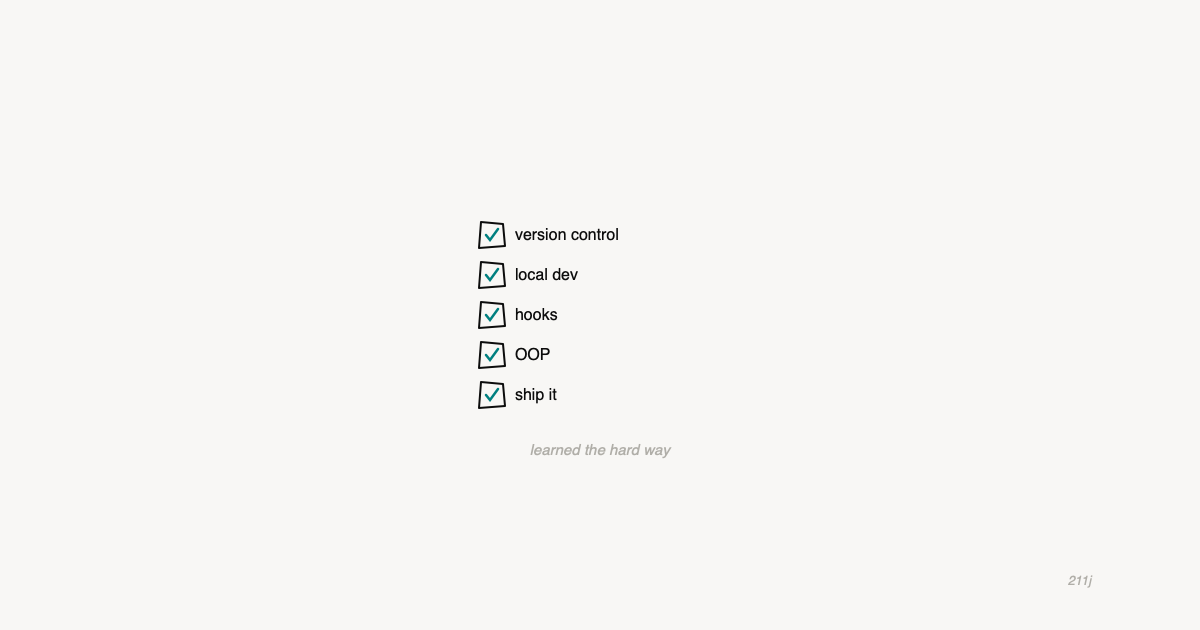
1. Version Control Is Not Optional (Even If You Work Alone)
For years, my version control was a folder called “old” where I’d copy files before making changes. Sometimes I’d get fancy and add a date. “header-old-march.php.” This is not a system. This is a cry for help.
Git saved me, and not in the “it’s a nice tool” way - in the “it literally saved client work that I would have otherwise destroyed” way. You don’t need to understand rebasing or cherry-picking or any of that. You need git add, git commit, git push, and git log. That’s your safety net. Use it even for solo projects. Especially for solo projects, because there’s nobody else to blame when things go wrong.
2. Local Development or Die
I spent an embarrassing number of years editing files directly on production servers. In GoDaddy’s file manager. With no undo. If you just winced, you understand.
Get a local development environment. I use DDEV because it handles WordPress perfectly and I can run different PHP versions for different clients without anything conflicting. But the specific tool matters less than the principle: never write code on the server where people can see your mistakes in real time.
The barrier to entry on local dev is basically zero now. ddev config --project-type=wordpress, ddev start, and you’re running. There is no excuse anymore. I had excuses for years. They were all bad.
3. WordPress Hooks Will Teach You More Than Any Framework
This is a hill I will die on. WordPress’s hook system - actions and filters - taught me more about software architecture than anything else in my career. Every pattern I use, every way I think about extending and modifying systems, traces back to add_action() and add_filter().
The idea that you can modify behavior without touching the original code, that you can hook into any point in a process and change what happens - that’s not just a WordPress thing. That’s an architecture thing. I work on a team now building React and Electron apps, and the mental model I bring from WordPress hooks applies everywhere. Observer pattern, event-driven architecture, middleware - they’re all the same idea wearing different hats.
If you’re a WordPress developer who thinks you’re “just” a WordPress developer, you’re wrong. You understand architectural patterns that CS grads study in textbooks. You just learned them by building themes at 2am instead of sitting in a lecture hall.
4. OOP Is Worth the Learning Curve
I resisted object-oriented PHP for too long. Procedural code was comfortable. I could read it top to bottom. Classes felt like unnecessary ceremony - why wrap things in objects when functions work fine?
Then my projects got bigger, my functions started depending on each other in tangled ways, and I spent more time tracing execution paths than writing new features. OOP didn’t click until I started building WordPress plugins that needed to be maintainable by future-me (who, as past-me can confirm, has no memory of what past-me was thinking).
You don’t need to go full enterprise-architecture-astronaut. Start with: one class per concern, dependency injection where it makes sense, and interfaces when you know something will have multiple implementations. That gets you 80% of the benefit.
5. Pick a JavaScript Framework and Actually Learn It
I prefer Vue. I work in a React house. This is fine. The important thing is that you pick one, learn it properly (not just copy-paste from tutorials), and understand the underlying concepts: reactivity, component lifecycle, state management, props vs. events.
Once you deeply understand one framework, switching to another is mostly syntax. The ideas transfer. Vue felt more intuitive to me coming from PHP/WordPress - templates that look like HTML, a clear options API, less magic. Now I write React daily at work and the concepts are the same, just expressed differently.
If you’re a WordPress developer wondering whether you need JavaScript framework knowledge: yes. Gutenberg is React. The admin is increasingly JavaScript. The industry is going this direction and has been for years. You don’t have to love it, but you do have to learn it.
6. AI Is a Tool, Not a Replacement (Yet)
I’m a Claude Code Max subscriber. I built an Electron app with Rust binaries using ChatGPT without ever having touched Rust. The app was 95% AI-generated. This is both exciting and terrifying, and I think anyone who feels only one of those emotions isn’t paying attention.
Here’s my actual practice with AI in development: use it aggressively for boilerplate, research, debugging, and exploring unfamiliar territory. But understand what it gives you. Read the code. Know why it works. AI is the best junior developer who ever lived - tireless, fast, and occasionally confidently wrong in ways that will ruin your afternoon.
The developers who will thrive are the ones who can direct AI effectively, which means understanding architecture, requirements, and systems well enough to know when the AI is on track and when it’s hallucinating. That’s experience. That’s the thing you build by doing this for years. It’s the thing that makes a self-taught developer with years of WordPress more valuable, not less, in the age of AI.
7. Your Server Is Your Responsibility
I’ve run my own Linode server for years - cPanel throughout, LiteSpeed only recently. I host a small roster of client sites on it. I do my own security, my own backups, my own SSL, my own PHP upgrades. This is either admirable or insane depending on your perspective.
But here’s what it taught me: understanding the server makes you a better developer. Knowing how nginx rewrites work, how PHP-FPM processes requests, how MySQL query caching affects performance - this stuff makes you faster at diagnosing problems and more confident in your solutions.
You don’t have to manage your own server. Managed hosting is great and saves real time. But at least once in your career, set up a VPS from scratch. Install Apache or nginx. Configure PHP. Get an SSL cert working with Let’s Encrypt. You’ll understand the full stack in a way that no tutorial can teach, and you’ll troubleshoot production issues like a surgeon instead of a person with a flashlight and a prayer.
8. Ship It
The best practice that matters more than all the others: ship your work. Push it live. Let people use it. Get feedback. Improve it.
I have watched talented developers spend months perfecting code that nobody ever sees. I have also shipped things I was embarrassed by that made clients money the next day. Perfection is a trap. Good enough, deployed, is better than perfect, in a branch.
Every one of these practices exists to help you ship faster and with more confidence. Version control so you can roll back. Local dev so you can test. Good architecture so you can change things later. AI so you can move quicker. But none of it matters if the work never leaves your laptop.
Ship it. Then make it better. That’s the whole game.