From T9 to Talk-Driven Code: A Personal Journey
A personal journey through the evolution of text input-from T9 predictive text to voice-driven coding with Wispr Flow. How I went from pecking at keyboards to talking my way through code.

The Kid Who Couldn’t Type
I want to be honest about something: I have never been a good typist. Not in any era, on any device, at any point in my life. This matters because I now write code for a living, and the whole arc from there to here is one of the more absurd things about my career.
When T9 showed up on phones, I was in my early twenties, working in restaurants and bars in the Albany area, and texting was becoming the way you communicated in loud environments. You couldn’t hear a phone call in a nightclub. You could, however, mash the “7” key four times to get an “S” and feel like a genius. T9 predictive text was a revelation - suddenly you just hit each number once and the phone guessed what you meant. I got fast at it. Weirdly fast. I could T9 a message in my pocket without looking. That was probably the peak of my text input career for the next decade.
Then smartphones killed it. Full touchscreen keyboards should have been better, but they weren’t - not for me. No tactile feedback, my thumbs suddenly too big, autocorrect changing “meet” to “meat” in messages to my boss. I went from being a T9 savant to a guy who types like he’s wearing oven mitts.
The Guy Who Couldn’t Stop Building
Meanwhile, I’d picked up a copy of HTML 4 for Dummies. I never really read it. I got exactly one line in - the part that tells you to wrap “hello world” in an <h1> tag, save it as an .html file, and open it in a browser. I did that, and something I had made appeared on screen. It was like a hit of drugs - and I say that as someone who has experience with the comparison. I closed the book, opened Google, and never went back to it. Everything after that, I taught myself one search at a time.
Here’s what’s ridiculous: I taught myself to code while barely being able to type. I built my first websites editing files in GoDaddy’s built-in file manager - a tiny modal window, no line numbers, no syntax highlighting. Just a little box where you typed PHP and prayed. I reverse-engineered WordPress line by line. I came in the back door, up the building, across the street, and dug a tunnel. Nothing about my path was efficient. But it worked.
Through eleven years in hospitality, and through some hard stretches I’m not going to detail here, I kept building websites in that stupid little text box. Typing slowly. Copying from Stack Overflow. Googling every function signature. The brain that made school impossible turned out to be perfectly wired for hyperfocusing on code at 3am.
Autocomplete: The Great Equalizer
When code editors started getting smart - IntelliSense, autocomplete, snippet expansion - it was like someone had designed them specifically for people who can’t type. Hit two letters and Tab, and the editor writes the rest. My typing speed became irrelevant. What mattered was knowing what I wanted to build, not how fast I could input it.
Then AI code assistants showed up, and the gap between “what I can think” and “what I can type” shrank to nearly nothing. I could describe what I needed and watch it appear. For someone with textbook, if undiagnosed, ADHD who thinks in complete systems but struggles to linearly transcribe them through a keyboard, this was not just convenient. It was transformative.
Then I Started Talking
I’d been burned by voice-to-text before. Every phone I’d owned had some version of it, and every version was garbage. Dictating a text message and then spending longer correcting the transcription than it would have taken to type it - we’ve all been there. So when people started talking about voice coding, I filed it under “things that sound cool but don’t actually work.”
Then I tried Wispr Flow.
I don’t remember exactly what made me try it. Probably FOMO. I have a terminal case of FOMO when it comes to dev tools - if someone on Twitter says a tool changed their life, I will have it installed within the hour. It’s a sickness. But this time the sickness paid off.
Wispr Flow is a voice input tool that works system-wide on your Mac. You talk, it transcribes, and the text appears wherever your cursor is. Editor, terminal, Slack, browser - doesn’t matter. The transcription accuracy is so good that I stopped correcting things. I just talked and it was right.
Within 36 hours I had basically stopped typing for anything that wasn’t code syntax. Drafting messages, writing prompts for Claude, Slack conversations, documentation - all voice. My hands stayed on the keyboard for the stuff that needs to be precise (you’re not going to voice-dictate a CSS grid layout), but everything else became a conversation with my computer.
Why This Actually Matters (Especially with ADHD)
Here’s what nobody tells you about voice coding with ADHD: it removes the bottleneck between your brain and the output. My brain doesn’t think in typed characters. It thinks in ideas, in systems, in “what if we did it this way.” The translation layer from thought to typed text is where ADHD people lose the thread. You’re thinking about the architecture and suddenly you’re also thinking about where the semicolon goes and your fingers aren’t keeping up and now you’ve lost the original thought.
Voice removes that. I think it, I say it, it appears. The idea survives the trip from brain to screen intact. I pair Wispr Flow with Claude Code and it’s genuinely like having a second developer sitting next to me who types 200 words per minute and never needs me to repeat myself.
T9 to Talking: The Full Circle
There’s something poetic about this arc, if you’re the kind of person who finds poetry in a high school dropout talking to an AI through a microphone to build software. I went from mashing number keys on a flip phone in a nightclub, to pecking at a GoDaddy file editor, to voice-driving an AI coding assistant from my home office in upstate New York.
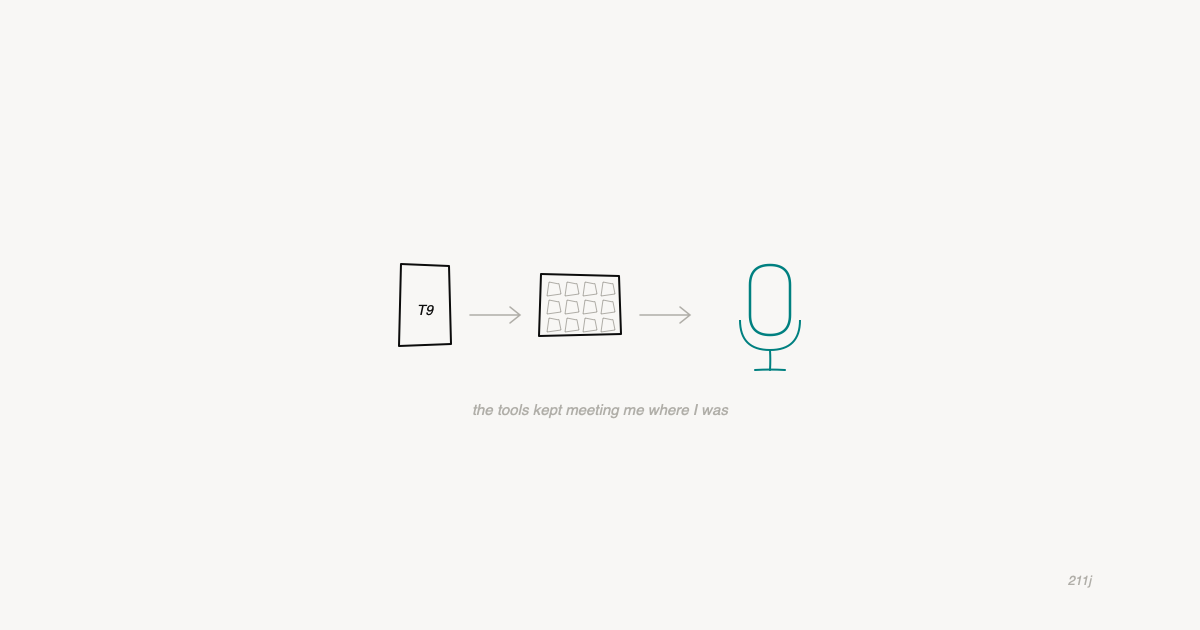
At no point in this journey was I a fast typist. At no point did that stop me. The tools just kept meeting me where I was, and where I was kept getting more interesting.
If you have ADHD, if you’re a slow typist, if you came into this industry sideways and feel like everyone else has skills you missed - voice coding might be the thing that makes everything click. It was for me. And I would know. I’ve been doing things the hard way for a very long time.
Wispr Flow: The Voice Tool I Actually Use
I use Wispr Flow every single day. It’s $12-15/month after the trial, and I would honestly pay more. If you write code, write prompts, or write anything at all on a computer, try it.
Affiliate link - I may earn a commission at no cost to you. I only recommend tools I actually use.