The GenX Guide to Modern Development Tools
From command line to AI assistants: How Gen X developers navigate the modern toolkit.

Born Analog, Building Digital
I was born in 1978. The first computer I called mine showed up when I was fifteen, in tenth grade, because of an architectural-drawing class - the one part of high school I actually showed up for, before I skipped my way out of ever graduating. The class had just moved into a lab full of Macintosh LC IIIs (80 MB hard drives, the height of luxury), and for the first time school made a kind of sense to me, because it was happening on a screen.
That part turned out to be the whole story. My mom had me tested for attention problems twice as a kid, and both times the results split right down the middle: on the paper tests I couldn’t focus to save my life, and on the computer tests I could lock onto one thing for as long as you’d let me. Back then that got you a shrug and an “almost.” She’d clocked the pattern years before any clinician would, so she found out which machine we used in that class and bought me one.
I had it about a day before I bricked it - not playing a game, but digging through the file system for the resource files, trying to change what the folder icons looked like and what the system’s error “boop” sounded like. I crashed it hard enough that my mom had to drive it back to the store for an OS reinstall. So I got careful, and I figured it out. I did my drafting homework in MacDraft, which I loved, and in my spare time I taught myself to edit the guts of the operating system - years before there was an internet to tell me how.
The high point of my early career came not long after: I swapped the system error sound for Snoop saying “Biatch” off The Chronic, and a friend and I quietly installed it on every Mac in the lab. By the end of the period the whole room was booping at each other, and the teacher, Mr. Gunther, just laughed and said, “I think I know who did this.” That was the 1993-94 school year. I have been taking things apart to hear how they sound ever since.
I’m telling you all this because I’m now a senior front-end developer who talks to an AI to write code, and the distance between that fifteen-year-old editing resource forks and this is the entire joke of my career.
If you’re Gen X - or adjacent, or anyone who didn’t grow up writing code in their bedroom at age 12 - this is the guide I wish someone had handed me. Not “here are 50 tools you should learn.” More like “here’s what actually matters when you came into this industry through the service entrance and taught yourself everything.”
The ADHD Caveat (or: Why I’ve Tried Everything)
I have undiagnosed ADHD - strongly suspected, my mother has it, and I’m finally getting formally evaluated. I’ve never been medicated, which, since it’s something you’re born with, means not ever. For most of my life I just masked it: decent social skills out front, and an anxiety response that conveniently reads as competence. The way it’s understood now, it isn’t an absence of attention - it’s an inability to regulate it. I can’t lock onto the thing I’m supposed to be doing, and I’ll hyperfocus on the thing that grabbed me until the sun comes up. The relevant part for this guide is that I have tried every development tool that has ever been released. Not because I’m thorough - because I have an actual neurological compulsion to investigate new things. I see a tweet about a new CLI tool at 11pm and I’m installing it by 11:02pm and I will not sleep until I understand it.
This means I’ve burned through more tools than most developers will ever hear of. The upside is that I’ve accidentally done extensive comparative testing. The downside is that my brew list output is 400 lines long. But it means when I tell you a tool is worth your time, it survived a gauntlet that most tools don’t.
The Tools That Survived the Gauntlet
VS Code (But Not Because It’s Trendy)
My editor history is a graveyard, but let me correct the record on it. I never used Sublime Text for years - I ran the free trial, wanted to be one of the cool kids who bought it, and never did. I used Atom until VS Code was clearly just a better version of Atom (is Atom even officially dead? I’ve lost track). And I never touched Dreamweaver in my life - early on I had a stubborn streak about doing everything from scratch, I wasn’t even using WordPress at first, and I’d heard exactly what kind of code Dreamweaver spat out. That was enough.
I did resist VS Code, a little, on principle. I liked Atom, and I’d had salt in my mouth about Microsoft for years - Internet Explorer, Windows, all of it. When Microsoft bought GitHub I figured VS Code was just Atom 3.0 with a worse pedigree, and for once I didn’t go sprinting after the new shiny thing. What changed my mind wasn’t a feature. It was a developer I was collaborating with on a freelance project - someone I’d come to genuinely respect - who, when I asked him about VS Code, didn’t answer like a know-it-all. He answered like someone who’d just discovered it and couldn’t quite believe it. That’s the tell I trust.
Here’s the part most “switch to VS Code” posts get backwards, because it’s the part I actually lived: at the time, VS Code was a terrible choice for PHP. I worked almost exclusively on WordPress, and there were no real PHP extensions or linters worth a damn yet. I wasted hours - more than once - trying to force it into being a WordPress IDE, and it would not be one. What finally got me to adopt it was a day-job at an agency where everyone used it and maybe one project in ten was PHP. So I broke my back making it work for that one WordPress project, it still didn’t, and I rode it for the JavaScript work instead - my first-ever framework project was in Gatsby, total fish-out-of-water, and completely fun. The PHP support did eventually get good; last time I opened a personal project in it the experience was night and day. But by then I had AI doing the heavy lifting, so it almost doesn’t matter.
What did matter, more than I expected: living inside Atom and VS Code for years taught me, in my bones, what Electron can and can’t do. That knowledge cashed out later. When I was building an Electron-based copy-editor app and Node kept choking on the heavier filesystem operations, my first instinct wasn’t to fight Node - it was to ask the AI, “how does VS Code do this?” Because I knew VS Code does reliable find-and-replace across a hundred-file codebase, and it’s the same runtime underneath. Knowing your tools from the inside is its own kind of senior.
DDEV (Local Dev That Doesn’t Make You Cry)
I wrote a whole separate post about DDEV, but the short version: it’s local WordPress development that actually works. Between my freelance work and the small hosting roster I run, I’ve got a handful of client sites to keep straight. Multiple DDEV environments running different PHP versions. The 211j site runs on DDEV locally. I have never once had to debug a DDEV configuration issue that wasn’t my own fault. If you’re still using MAMP, you’re choosing to suffer and I say that with love because I chose to suffer for years.
Git (The Safety Net I Didn’t Know I Needed)
My version control before Git was a folder called “old” and a prayer. I resisted Git because it felt like overkill for “just websites.” Then the folder called “old” didn’t have the version I needed, and I learned Git.
You don’t need to know the esoteric stuff. git add, git commit, git push, git pull, git log, git checkout. That covers 95% of what I do daily. The other 5% I Google in the moment, same as everyone else on earth including people who have been using Git for 20 years.
Claude Code (The AI That Changed Everything)
I’m a Claude Code Max subscriber. I pay for it the way I pay for electricity - it’s infrastructure now, not a luxury. I use it every day. I used ChatGPT to build an Electron app with Rust binaries in December 2024 without ever having written a line of Rust. The app was 95% AI-generated. That experience broke my brain in the best way.
Here’s the Gen X perspective on AI coding tools: we have something the 22-year-olds don’t. We have context. We have 12, 15, 20 years of understanding what software is supposed to do, how systems fit together, what questions to ask. AI is a force multiplier, and the size of the force it’s multiplying matters. A senior developer with AI is not the same as a junior developer with AI. Our experience is the thing that makes AI useful instead of dangerous.
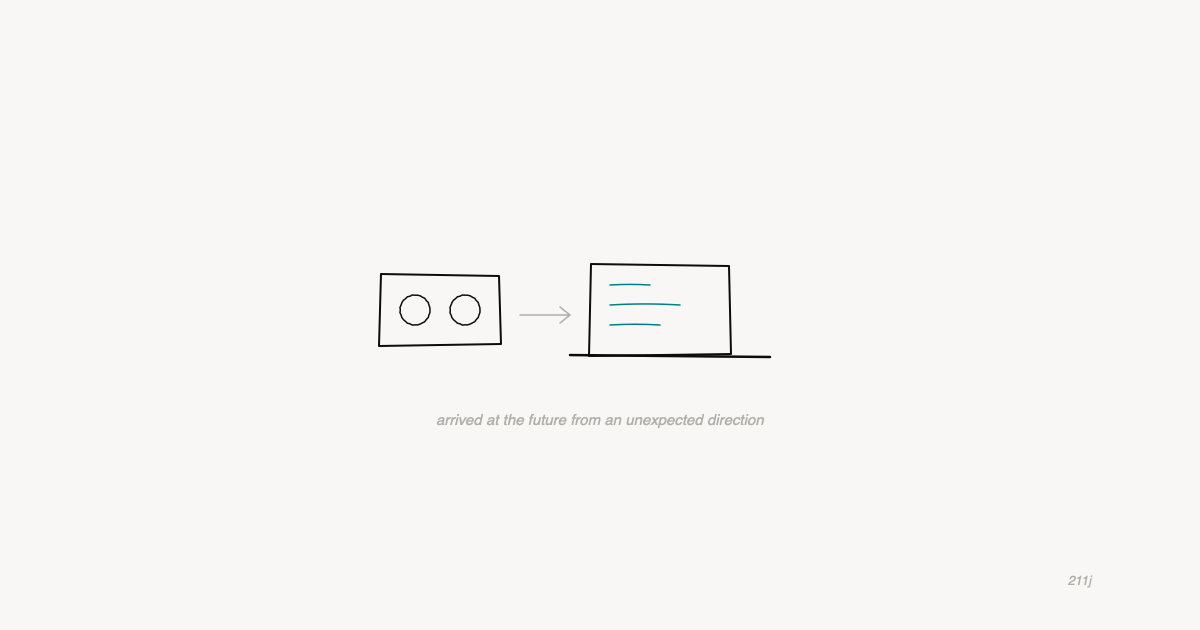
My half-brother has a PhD from Berkeley and teaches AI in Vancouver. I’m a high school dropout who taught himself PHP in a GoDaddy file editor. We both use AI daily. The paths couldn’t be more different. The destination is the same. That’s the most Gen X thing I can think of - arriving at the future from a completely unexpected direction.
Wispr Flow (Voice Coding for Brains That Won’t Sit Still)
I use Wispr Flow for voice-driven development and it’s one of those tools that I can’t believe I lived without. With ADHD, the gap between thinking and typing is where ideas go to die. Voice closes that gap. I talk, it transcribes, the text appears wherever my cursor is. Drafting prompts for Claude, writing Slack messages, documenting code - all voice now.
This isn’t a gimmick. This is an accessibility tool that happens to also make everyone faster. If you have ADHD, if you think faster than you type, if you lose your train of thought between your brain and your fingers - try it.
What I’m Not Going to Recommend
I’m not going to tell you to learn Kubernetes. I’m not going to tell you to set up a CI/CD pipeline with GitHub Actions if you’re a freelancer with a modest handful of clients. I’m not going to tell you to adopt microservices architecture for a WordPress site that gets 500 visits a month.
The tech industry has a pathological obsession with complexity. Every year there’s a new tool that promises to simplify things by adding another layer of abstraction on top of the previous layer of abstraction that was supposed to simplify the layer before that. As a Gen X developer, my filter is simple: does this tool solve a problem I actually have, or does it solve a problem I’d only have if I adopted three other tools first?
Most of the tools that survive my ADHD-fueled testing gauntlet are the ones that do one thing well and get out of the way. DDEV sets up environments. VS Code edits code. Git tracks changes. Claude writes code. Wispr turns voice into text. None of them require a weekend of configuration. None of them need their own conference.
The Actual Gen X Advantage
Here’s what I’ve figured out after freelancing since 2011, a career change from hospitality, and teaching myself everything from scratch: the advantage of coming in late is that you skipped the dogma. I don’t have opinions about tabs vs. spaces that I formed in a college dorm room and defended for 20 years. I don’t have loyalty to a language or a framework because it’s what I learned first. I use what works. I switch when something works better. I have no ego about my tools because I spent the first decade of my career in a GoDaddy file editor and nothing could possibly be more humbling than that.
The tools in this guide aren’t the “right” tools. They’re the tools that work for someone with ADHD, a small client roster, a full-time job, and zero formal training. They’re the tools that survived actual use by someone who will abandon anything that wastes his time.
If that sounds like you - if you came into this sideways, if you taught yourself, if you’re Gen X or just Gen X in spirit - these tools will meet you where you are. And where you are is further along than you think.